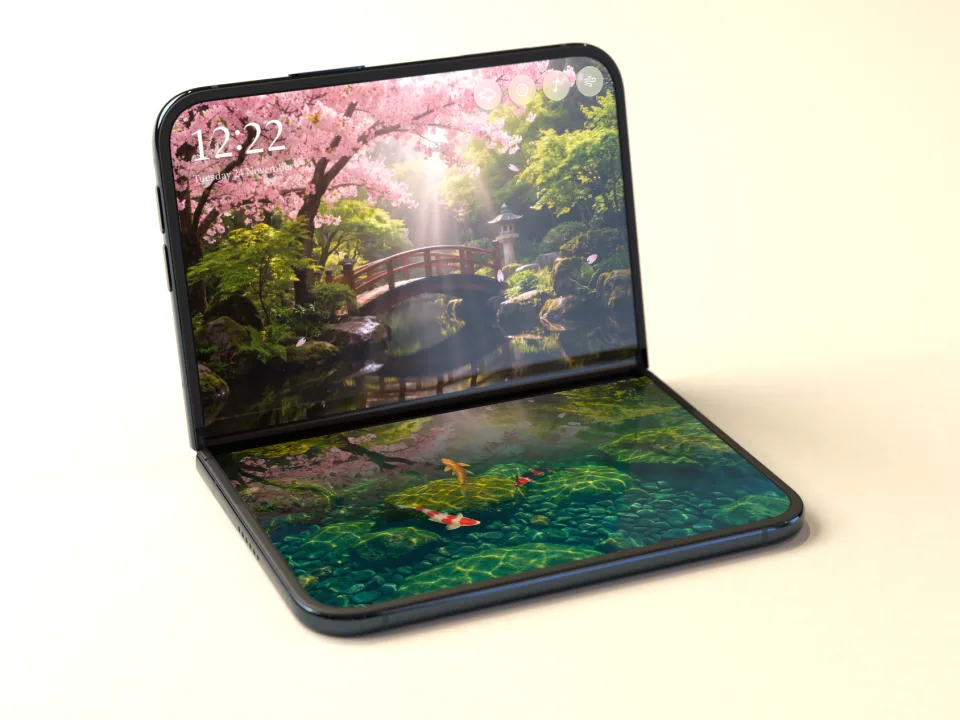
What each fold does
| How you hold it | What you see |
|---|---|
| Half open on a table | Garden and clock stand on the upper screen; the koi pond lies on the lower screen, with the garden reflected in the water. |
| Fully open | One tall picture: the garden flows down into the pond with no line between them. |
| Closed (outer screen) | Just the water and the koi, nothing else. |
Nothing important is drawn on the crease. The app reads where the fold is and lays the garden and the pond around it, so the koi never swim under the hinge.
Why a pond suits a folding phone
When the lower screen lies flat, you look down into it the way you look into a real pond. Touches land on the water: tap and ripples spread across the stones, hold and you scatter food for the koi to gather. Breathe toward the screen and the wind shakes petals from the trees above into the water below.
Half open on a desk or nightstand, it also works as a calm clock. Desk clock is on by default: a quiet time and date sit in the garden while the pond keeps moving. Set a sleep timer and the sound and the light fade away together.
On iPhone 18 and other iPhones
Koi Garden runs on any iPhone with iOS 27.1 or later. On a phone that does not fold, the garden sits at the top of one screen and fades into the pond below. The koi, the koi book, guided breathing, the five soundscapes and the sleep timer all work the same.
What is in the app
- A photoreal koi pond you can touch and feed, with ripples that bend the light on the stones.
- A koi book: a new fish every second day you visit. Five common varieties are free; six rare ones come with the unlock. See the eleven koi varieties.
- Guided breathing drawn as a ring of light on the water: calm 4-6 free, box breathing and 4-7-8 with the unlock.
- Garden, breeze, leaves, birdsong and rain, playing with the screen locked, with a sleep timer. The garden sound is free.
- Free with a small ad under the pond, or a one-time purchase for everything. No subscription.
Questions
Does it work on iPhones that don't fold?
Yes. On iPhone 18 and any other iPhone with iOS 27.1 or later, the garden fades into the pond on one screen. Everything else works the same.
What does it show on the outer screen?
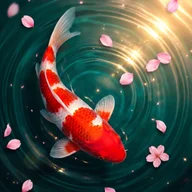
With the Duo closed, the outer screen shows just the water and the koi, without the garden.
Can I leave it on my desk as a clock?
Yes. Desk clock is on by default (you can switch it off in the sound panel): a quiet clock sits in the garden on the upper screen while the pond keeps moving below.
Does it use the microphone?
Only if you allow it, and only to notice when you blow toward the screen. Sound is analysed on the phone and never recorded or sent.
Koi Garden is coming soon to the App Store. Free for iPhone Duo and every iPhone with iOS 27.1 or later. See Koi Garden →